A tutor inside VS Code · not an autocomplete
Learn a new language by building
the thing you actually want to build.
Midnight Oil is a tutor that lives in VS Code. You keep your editor — it adds the teacher: you write the code yourself and it withholds the answer, bridging from a language you already know to the one you're learning, and correcting you when you're wrong.
Coming to the VS Code Marketplace · bring your own Anthropic key, or a managed plan
Cursor makes you a faster typist who learns nothing. Boot.dev teaches toy problems. This is the unoccupied middle.
The unoccupied middle
Every tool picks a side. Both sides fail the experienced dev.
Cursor & Copilot
Write the code for you. You ship faster and learn nothing — you become a faster typist, not a Rust developer.
Boot.dev & Exercism
Actually teach — but on toy problems you don't care about. The motivation and the real-world mess are missing.
Build the real thing
You build the project you actually want, right inside VS Code — bridging from what you already know, and making you do the work.
Transfer-teaching
It teaches you from the language you already speak.
You already know what you want to express — you just don't know how this language says it. Midnight Oil anchors every new concept to its equivalent in your source language, names the shared shape, then the divergence.
“In Java you'd reach fortry/catchhere. Rust doesn't have exceptions — it hasResult<T, E>. Same goal, different shape. You write the signature that returns one.”
JS → Go · Java → Rust · PHP → Elixir · or no source at all
The signature feature
The assist-dial: turn down the help, turn up the learning.
One control in the status bar changes not just how much the tool helps, but what surface the help appears on. It only changes what's revealed — never who writes the code. It's concept-local: high-assist on the borrow checker while it's alien, low-assist on structs you already own.
Full idiomatic code
A copy-pasteable block. Only for boilerplate you already understand — don't re-learn the 3000th void return.
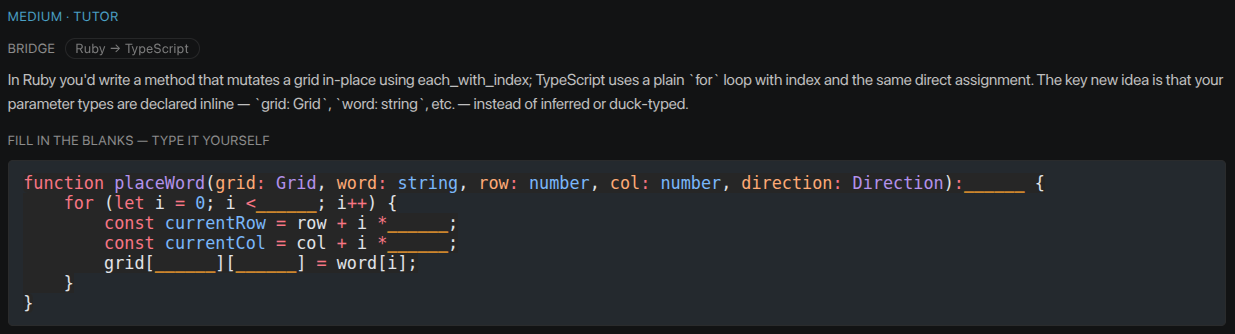
Cloze code block
Scaffolding filled in, the new-language idioms blanked out for you to complete. The heart of the tool.
A nudge
“Something here won't compile the way you think — want a hint?” You must engage to get more. Maximal retention.
Pure reviewer
Write freely; the tool critiques after. For when you just want to build and be spot-checked.
The cloze principle
Fill in what you know, blank out what you don't. For a transfer-learner the easy parts are whatever's the same as your old language; the hard parts are the new idioms — exactly what you're here to learn. So we blank the idiom and hand you the scaffolding. As your mastery rises, the blanks move to your new frontier.
Inside your editor
It doesn't replace your editor. It teaches inside it.
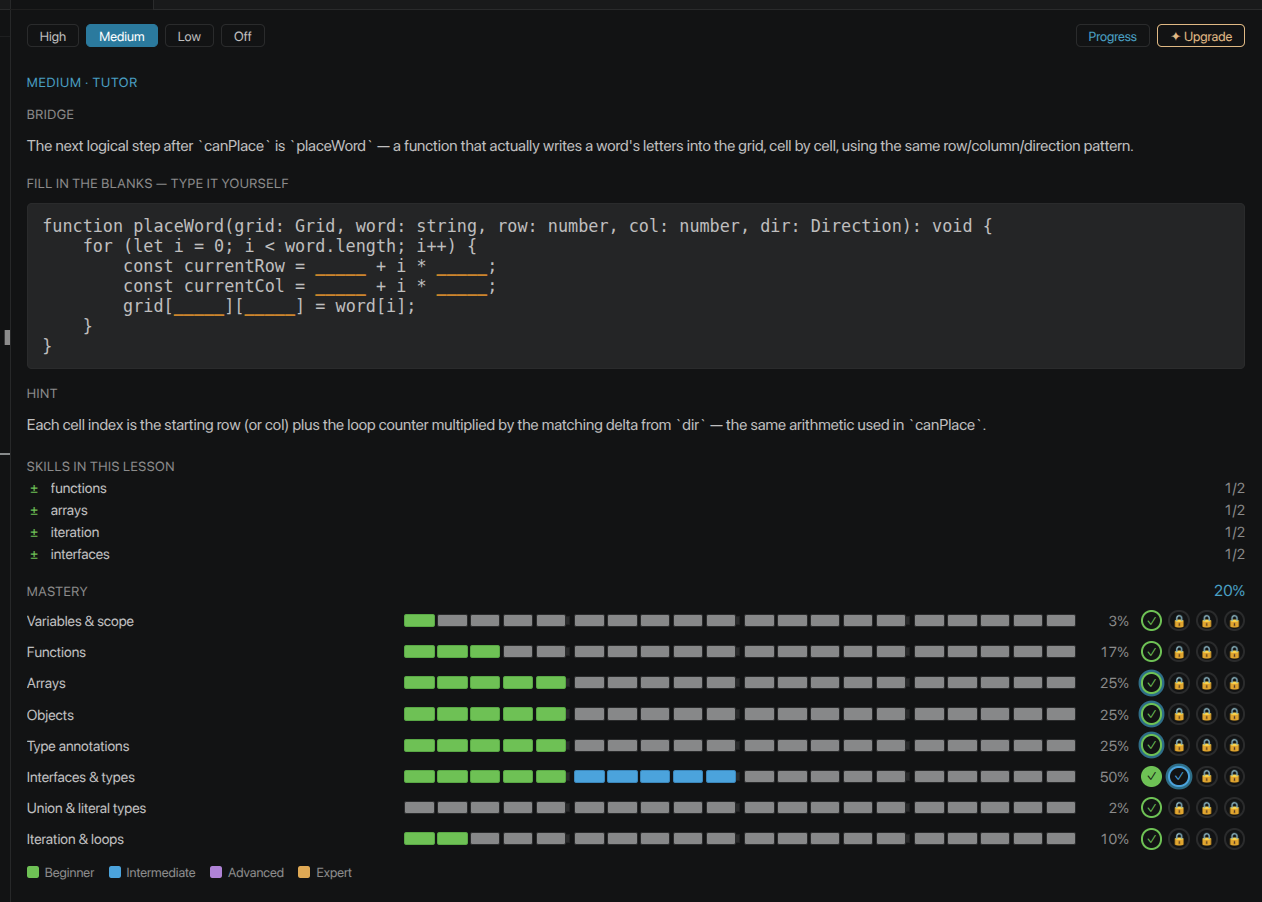
Midnight Oil is a VS Code extension. You keep everything you already have — the explorer, files, search, git, your LSP and runners — and it adds the one thing that's the product: the tutor. Nothing new to learn, nothing to migrate.
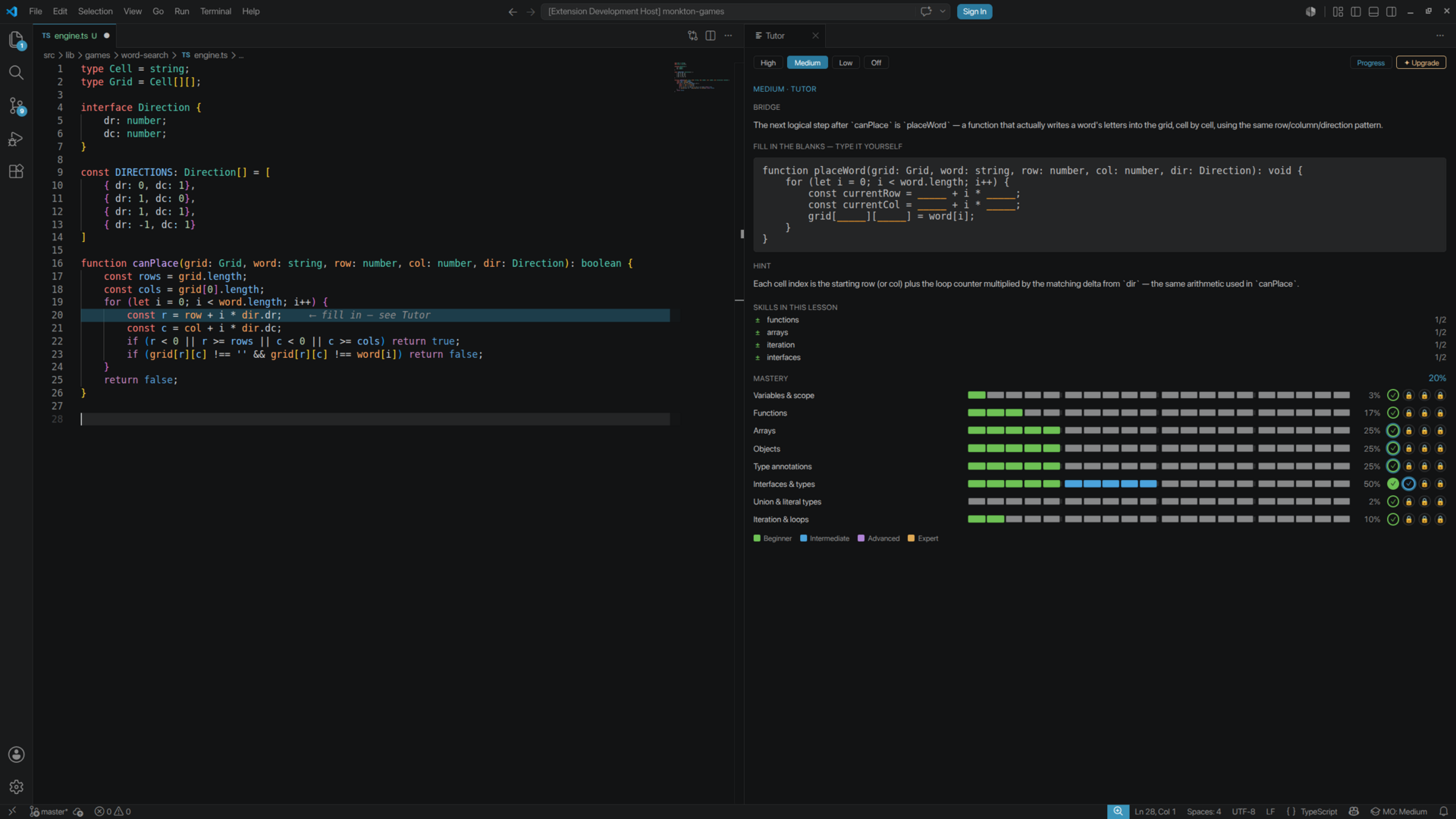
Select code, hit Ctrl/⌘ + Alt + E — it diagnoses it and scaffolds the next step at your assist level.
Ctrl/⌘ + Alt + L cycles High → Medium → Low → Off. A status-bar item plus a clickable dial in the panel.
The lesson shown in place on the line: ghost text, a highlighted line, or a fill-in marker — anchored to the target.
Ctrl/⌘ + Alt + X — what / why / how it fits / gotchas, with citations to real lines from your project's symbols.
Verification — VS Code diagnostics + Tutor review
Capture the moment compiler truth and idiom feedback land together: VS Code's Problems panel / inline diagnostics (a red squiggle or ✓ clean), and the Midnight Oil Tutor panel showing a post-attempt review with an amber IDIOM callout (e.g. 'prefer is_empty()').
Hybrid verification
Your compiler is a co-teacher.
Two signals feed every teaching turn. Deterministic ground truth from your editor's own diagnostics and tests — the compiler is a teacher — and an AI idiom-pass that catches working-but-unidiomatic code.
- PASS Did it compile? Did the test go green? Hard ground truth, straight from VS Code.
- IDIOM “It compiles, but you wrote it the Java way — here's the idiomatic Rust.”
- FAIL Diagnostics surfaced as lessons, reframed in transfer terms.
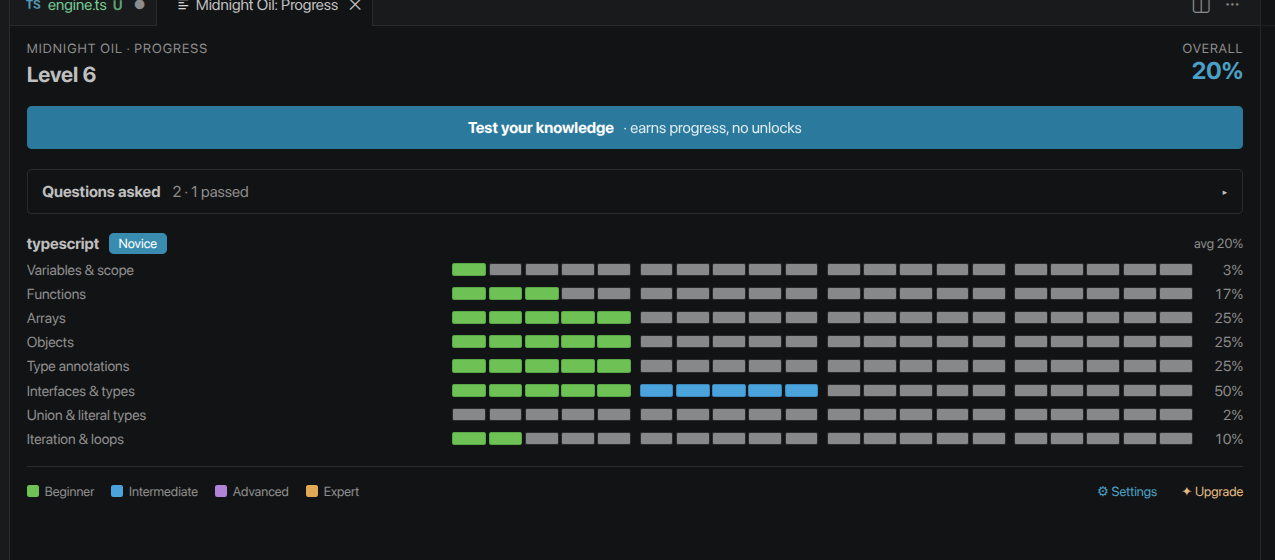
Track your mastery
Every concept, ranked. Prove it with a test.
As you're taught and tested, Midnight Oil tracks mastery per concept for each language. Concepts climb four tiers — and you unlock each one by passing an AI-graded gate test, not by grinding reps.
- Gate tests — AI-generated questions that unlock the next tier for a concept.
- Test your knowledge — on-demand practice that builds reps toward your current band (never a shortcut past a gate).
- Craft titles — each language earns a rank by average mastery: Novice → Journeyman → Craftsman → Master.
- Overall Level — one XP number across every language, rising as you learn and pass.
How a session works
Three ways in. One loop.
Plan-first
“Teach me Rust by building a CLI todo app.” It drafts teachable milestones; you execute them one at a time.
Bring your own project
Open an existing repo. It finds teachable moments as you work — no curriculum required.
Goal-first
“Teach me X by building Y.” It scaffolds a path from your stated goal to a real, working thing.
Stop autocompleting. Start owning the language.
For the side project, the deliberate upskill, the between-jobs study — the times you'd rather actually learn it.